Screen Print Halftone Dot Gain Guide
Screen print halftone dot gain occurs when printed halftone dots become larger than the intended artwork or screen image, making midtones darker and closing shadow detail. In streetwear graphics, uncontrolled gain can change a portrait, texture or simulated-process blend. Buyers should approve measurable tonal targets and a production-intent strike-off rather than judging only the digital file.
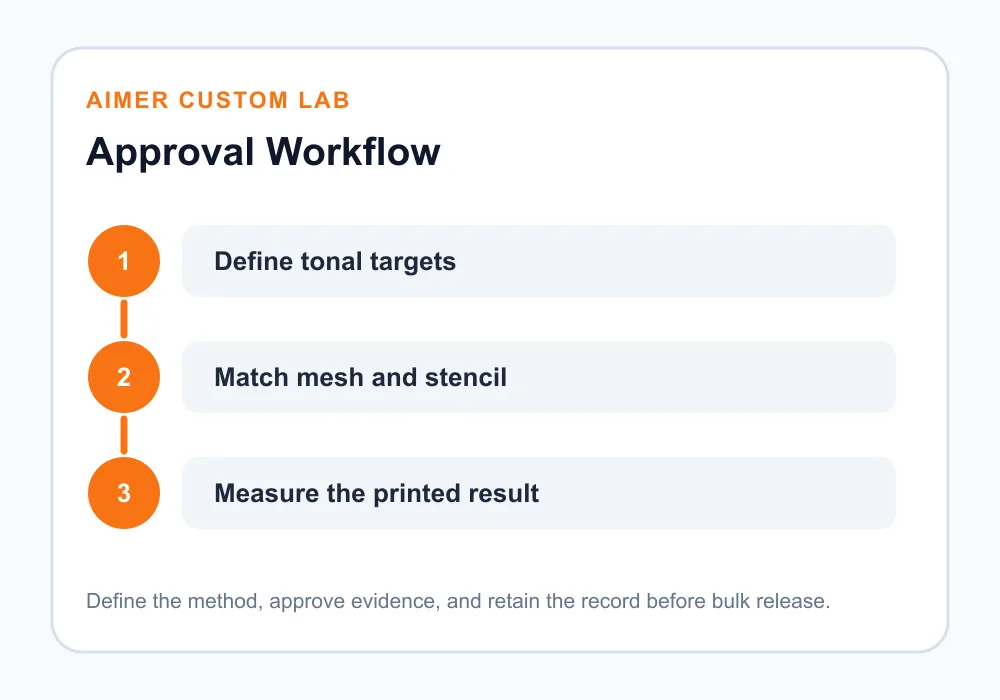
Quick Answer: Control screen print halftone dot gain by defining LPI, dot shape and tonal range, matching the screen mesh and thread geometry, calibrating film and exposure, then standardizing ink, squeegee, off-contact and press settings. Measure selected tone patches from the approved strike-off and retain screens, separations and process records for repeat orders.
What is screen print halftone dot gain?
A halftone represents tones through dots of different size, spacing or frequency. Dot gain is the increase in printed dot area compared with the intended tonal value. It can happen during imaging and exposure, on press as ink spreads, or through the interaction of both stages. The result is not simply “too much ink”: tonal compression, lost highlights, plugged shadows and color shifts may appear together.
For a buyer, the useful question is not whether some gain exists but whether the final garment matches the approved visual and measurable reference. Compensation may be built into separations, but it should be based on the production system. Copying a curve from another mesh, ink or fabric can move the problem instead of solving it.
Why does screen print halftone dot gain change streetwear artwork?
The tonal image passes through several stages: source artwork, separation, output film or direct imaging, stencil, mesh and ink deposit on fabric. Each stage has a resolution and process limit. Garment texture then breaks the dot edge. A dark shirt may also need an underbase, flash and overprint, adding registration and deposit variables.
Avient’s Screen Printing Technique Guide notes that low mesh can deposit too much thin ink and create dot gain, while higher mesh can improve detail control; it cites higher mesh counts for halftone and simulated-process work as general examples. Those numbers are not a universal recipe. Thread diameter, stencil thickness, ink and garment must be considered together.
| Process stage | Dot-gain risk | Control | Buyer evidence |
|---|---|---|---|
| Separation | Uncalibrated tonal curve | Defined patches and output profile | Approved separation version |
| Screen mesh | Openings cannot hold highlight dots | Match LPI, mesh and thread diameter | Mesh specification |
| Exposure | Under- or overexposed stencil | Step test and production emulsion | Exposure record |
| Printing | Excess pressure or low off-contact | Standardized squeegee and setup | Press settings and strike-off |
| Underbase | Spread alters top-color dots | Controlled choke, flash and registration | Layer-by-layer sample |
| Fabric | Texture breaks or enlarges visual dots | Test the production color and knit | Garment strike-off |
How should LPI and mesh control screen print halftone dot gain?
Lines per inch describe halftone frequency; mesh count describes screen threads per unit length. They are related but not identical. Chromaline’s guide to mesh count and line count explains that thread diameter, opening size and stencil thickness affect printable dot size and tonal range. It offers a rule of thumb for estimating a minimum mesh count while warning that the actual mesh construction matters.
Choose the lowest highlight dot and highest shadow tone the production system can hold repeatedly. A very fine LPI may look impressive in a file but lose its smallest dots on a textured heavyweight tee. A coarser, controlled halftone can preserve a wider usable range and create a deliberate streetwear aesthetic.
How should screen print halftone dot gain be specified?
- Artwork and separation version.
- Halftone LPI, angle and dot shape by color.
- Target tonal patches and acceptable visual relationship.
- Screen mesh count, thread diameter and tension.
- Emulsion, coating method and stencil thickness reference.
- Exposure unit, imaging route and calibrated exposure result.
- Ink system, additives and approved viscosity condition.
- Squeegee durometer, angle, pressure and stroke count.
- Off-contact, platen condition, flash and print order.
- Garment fabric, color, finish and approved strike-off.
Record the process window that produced the accepted print. “Match artwork” is not sufficient because a digital preview does not show physical dot behavior. The approved garment should remain the primary visual reference, supported by measurable patches.
How should exposure be calibrated for screen print halftone dot gain?
Underexposure can leave a weak stencil and alter detail; overexposure can close small openings. Chromaline’s exposure tools guidance recommends a step test and includes halftone quality checks. Run the test with the actual mesh, emulsion, coating and light source. Record the result instead of relying only on yesterday’s timer setting.
- Prepare a control target: Include line, positive and negative detail, and tone patches.
- Confirm film density or direct-imaging settings: Weak opacity can affect stencil formation.
- Coat and dry consistently: Stencil thickness changes ink deposit and exposure need.
- Run the step test: Select exposure from the actual stencil response.
- Inspect highlight dots: Confirm that the intended minimum dots are open and stable.
- Inspect shadow gaps: Confirm that negative spaces have not closed.
- Record conditions: Store mesh, emulsion, date, exposure and screen identity.
Which press variables increase dot gain?
Excess squeegee pressure can drive ink through and spread it on the textile. Slow speed, a soft blade, low off-contact, multiple strokes or a flooded image left too long may also affect deposit. The correct combination depends on ink rheology, mesh and fabric. Use only enough pressure to clear the screen cleanly and reproduce the approved result.
Avient’s performance printing guidance advises reducing pressure to the lowest level that still transfers ink correctly. This principle supports halftone control, but press settings must be confirmed for the actual ink. Monitor screen tension and platen adhesive, because movement or poor snap-off can blur fine dots even if separation is correct.
How do underbases and flashes affect tonal detail?
On dark garments, an underbase may be required for brightness. If it spreads beyond the intended shape, top-color dots can sit on a larger white foundation and appear lighter or heavier. Choke, mesh, flash temperature, flash time and print sequence therefore influence the final tone. Over-flashing can change the surface, while insufficient gel can cause pickup or smearing.
Use the streetwear screen print underbase guide to define opacity and hand-feel decisions. The screen print curing guide supports final cure validation. Dot gain, opacity and cure must be approved as one print system.
How should screen print halftone dot gain be measured on a strike-off?
Include known tone patches in a controlled area of the test print or use a production control strip where appropriate. Compare intended and printed values with suitable optical or image-analysis equipment and a documented method. Measure consistently on the same substrate and avoid claiming laboratory precision from an uncontrolled phone photograph.
Use several tonal points, not only 50 percent. Highlights show whether small dots survive, midtones reveal expansion and shadows show whether gaps close. Pair numerical observations with the approved garment appearance because fabric texture and color affect perception.
What should bulk quality control inspect?
- Correct artwork, separation and screen set.
- Screen tension, damage and blocked openings.
- Registration between underbase and top colors.
- Highlight retention and shadow separation.
- Tonal patches at start-up and defined production intervals.
- Squeegee, off-contact and press-setting changes.
- Fabric color, texture and lot variation.
- Final cure and post-wash tonal appearance.
Retain a signed strike-off and a production sample. When the image darkens, separate screen-room causes from press-room causes before editing artwork. A new compensation curve should be based on measured, repeatable behavior.
Frequently asked questions
Is all dot gain a defect?
No. Some gain is expected in physical printing. The goal is controlled, repeatable output that matches the approved reference.
Will a higher mesh always reduce dot gain?
No. Mesh count, thread diameter, opening, tension, stencil, ink and fabric work together. A mesh must also deposit enough ink.
Why are highlights missing?
The dots may be below the screen’s holding limit, lost during exposure, blocked by ink or unable to print cleanly on the fabric texture.
Why do shadows become solid?
Negative gaps can close during imaging, exposure or printing, especially with excessive deposit or pressure.
Should the buyer approve the digital separation?
Approve it as a process document, but final approval should include a production-intent garment strike-off.
When should a print curve be recalibrated?
Recheck after meaningful changes to imaging, mesh, emulsion, ink, press, substrate or measurement method.
Conclusion: approve screen print halftone dot gain on the real garment
Screen print halftone dot gain is controlled across artwork, screen making and press production. Define tonal targets, match LPI to the real screen, calibrate exposure and standardize the ink deposit, then measure and retain the approved strike-off. Contact Aimer Custom Lab with the artwork, garment color, fabric and desired print character so the sampling route can be evaluated before bulk production.